
There’s the age-old saying that a picture is worth a thousand words and with the digital age, this has become even more of a reality with the surge of visual content created through social media.
Have you ever been caught in a situation where you see a picture of an item you really like or you see someone in a video wearing something you like? And then the hunt begins with a slew of descriptive words trying to locate the exact item. I’ve been a member of this party countless times and after spending an absurd amount of time Internet sleuthing, I maybe sometimes locate the object of my desire. Other times it is a complete wash. One of the best things I learned last year was how to easily find like items through snapping an image and running it through Google Lens. It rocked my world and I hope to impart the wonders of image searching onto you!
Desktop
Conjure up a screenshot of the item of interest whether it is through Mac’s spotlight tool (command + spacebar, type ‘screenshot’, and highlight the section of the screen containing the item) or Window’s snipping tool. Some browsers like Firefox even have a screenshot functionality by bringing up the right-click menu!
Once the screenshot is grabbed, copy it to your clipboard or save the image to your computer if you want to reuse it at another point.
Then, bring up google.com on your browser of choice, and click the camera icon on the far right of the search bar.

In the ‘Paste image link’ searchbox, command + v or ctrl + v to paste the clipboard contents of your screenshot over.
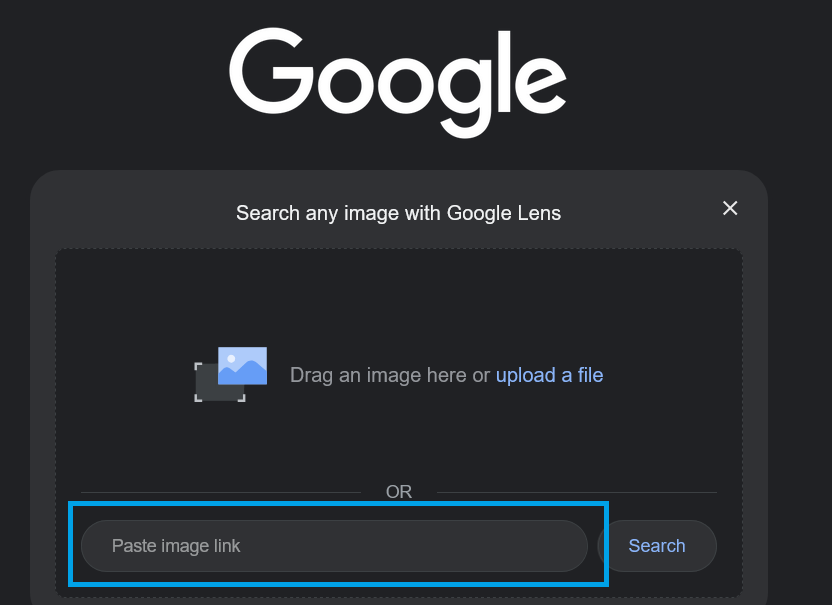
And now watch the magic happen! The results can find either the source of the image or locate similar content. Even better, you can add text to the searchbox in the context of the clipboard image to refine the results. I have mostly used this tool to find out where I can get an item I see in a post or video and it has worked remarkably well!

Mobile Devices
Searching via images is much easier on a phone!
First, bring up the google searchbox and then tap the camera icon.
Next, either take a picture with your camera or bring up the picture you want to search for from your photos.








 Life Fright
Leave a comment